
Ship log
Cursor for people who don’t code — download, open a folder, give it a job
A physician-friendly Cursor onboarding: install, open a folder, Agent vs Ask vs Plan, screenshot walkthroughs, and the exact prompts to paste for your first small win.
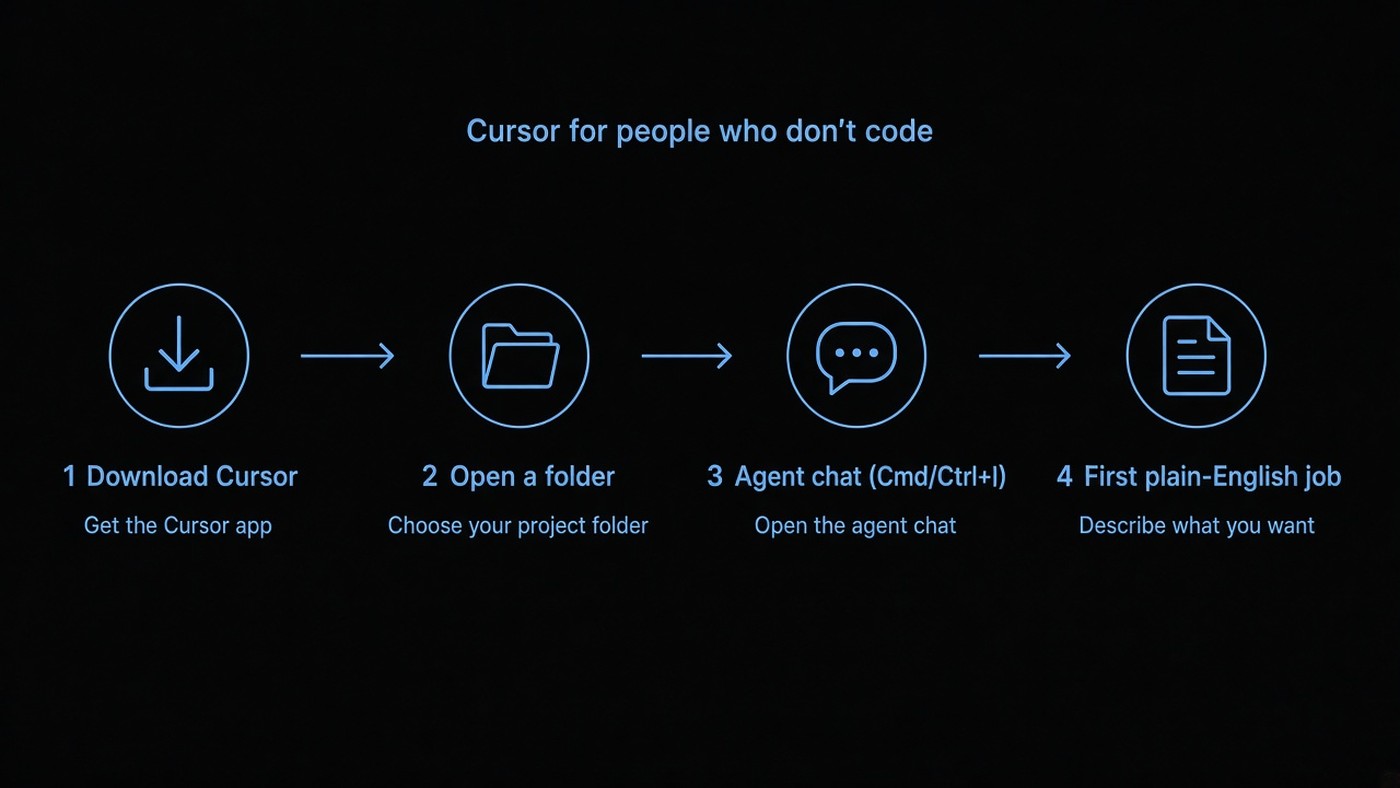
I keep getting the same question from physicians who want a side project:
Do I need to learn to code before I use Cursor?
No. You need a laptop, an account, a folder on your computer, and the willingness to describe what you want in plain English — then read what it changed before you trust it with anything important.
This is the onboarding I wish someone had handed me: download, open a folder, open Agent, paste a first job, know which mode you’re in. Screenshots below are from cursor.com and the official docs as of September 13, 2026. UI will drift; the path won’t.
Words you need once
| Word | Plain English |
|---|---|
| Cursor | An editor (like a fancy Notepad) with an AI agent that can read files, edit them, and run commands. |
| Folder / project | A place on your computer that holds the files for one thing. Cursor works on a folder, not “the whole internet.” |
| Agent | The chat panel where you give jobs. On Mac: ⌘I. On Windows/Linux: Ctrl+I. Official quickstart: cursor.com/docs/get-started/quickstart. |
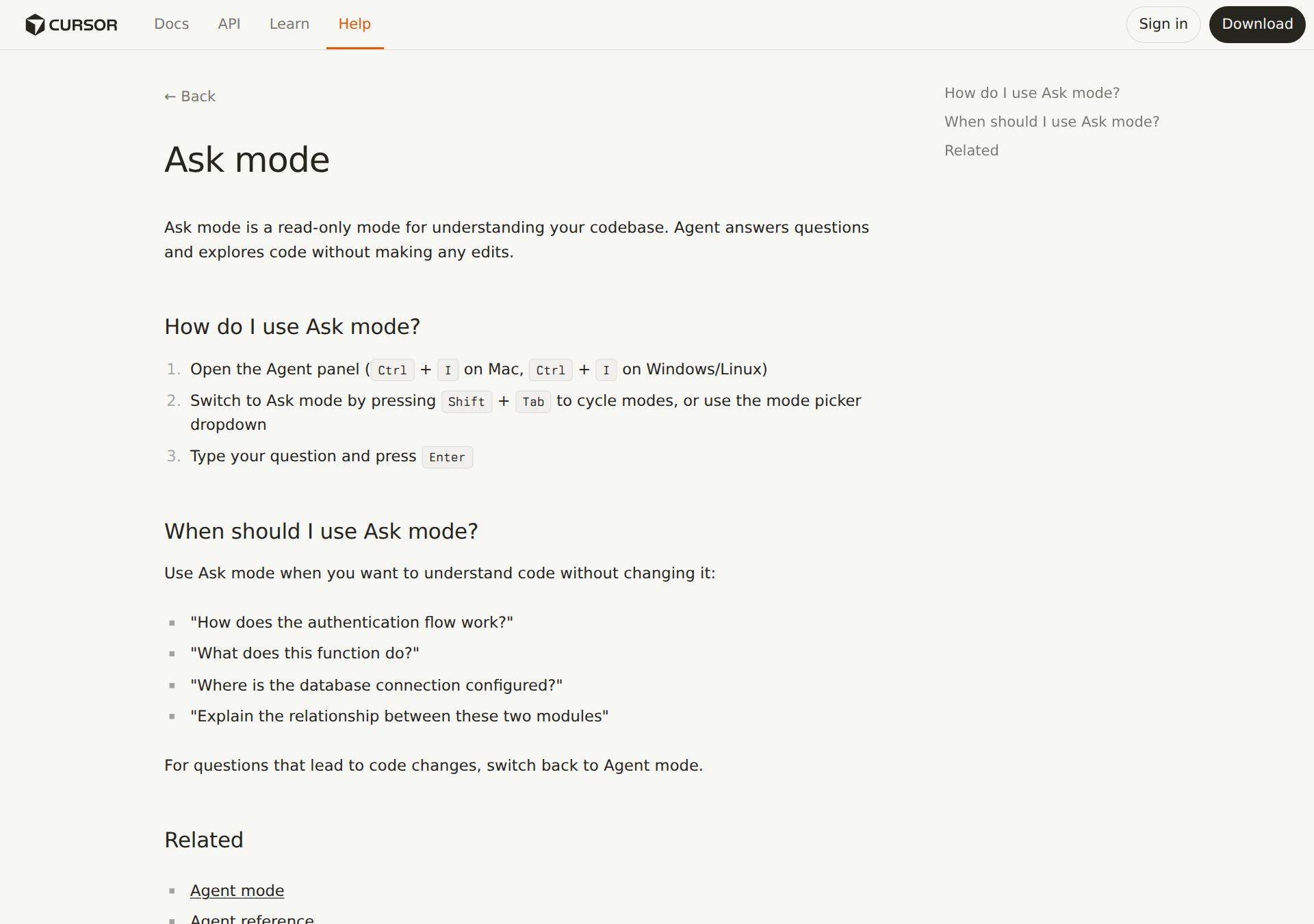
| Ask mode | Answers only — it shouldn’t rewrite your files. Good for “what is this?” |
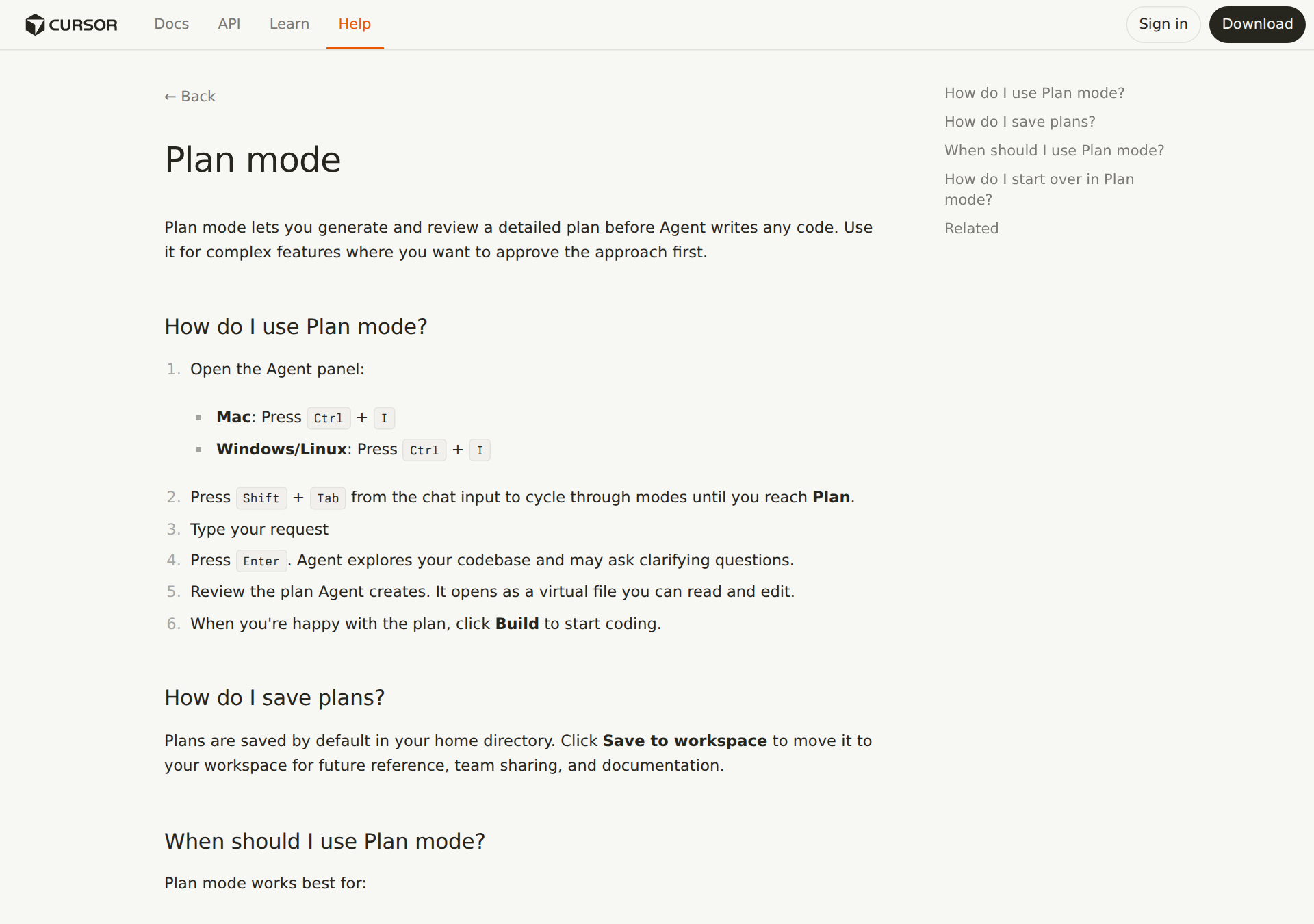
| Plan mode | It writes a plan first; you approve before it builds. Toggle with Shift+Tab in the agent box. |
| Diff | The before/after of a file change. This is where you catch nonsense. |
| Terminal | The text window where commands run. The agent can use it; you don’t have to love it on day one. |
Cursor is not ChatGPT in a browser tab. ChatGPT talks. Cursor can change files on your machine (when you let it). That’s the whole point — and the whole risk.
Download and sign in
Go to cursor.com. Hit Download for your OS (Mac, Windows, or Linux). Open the app. Sign in.
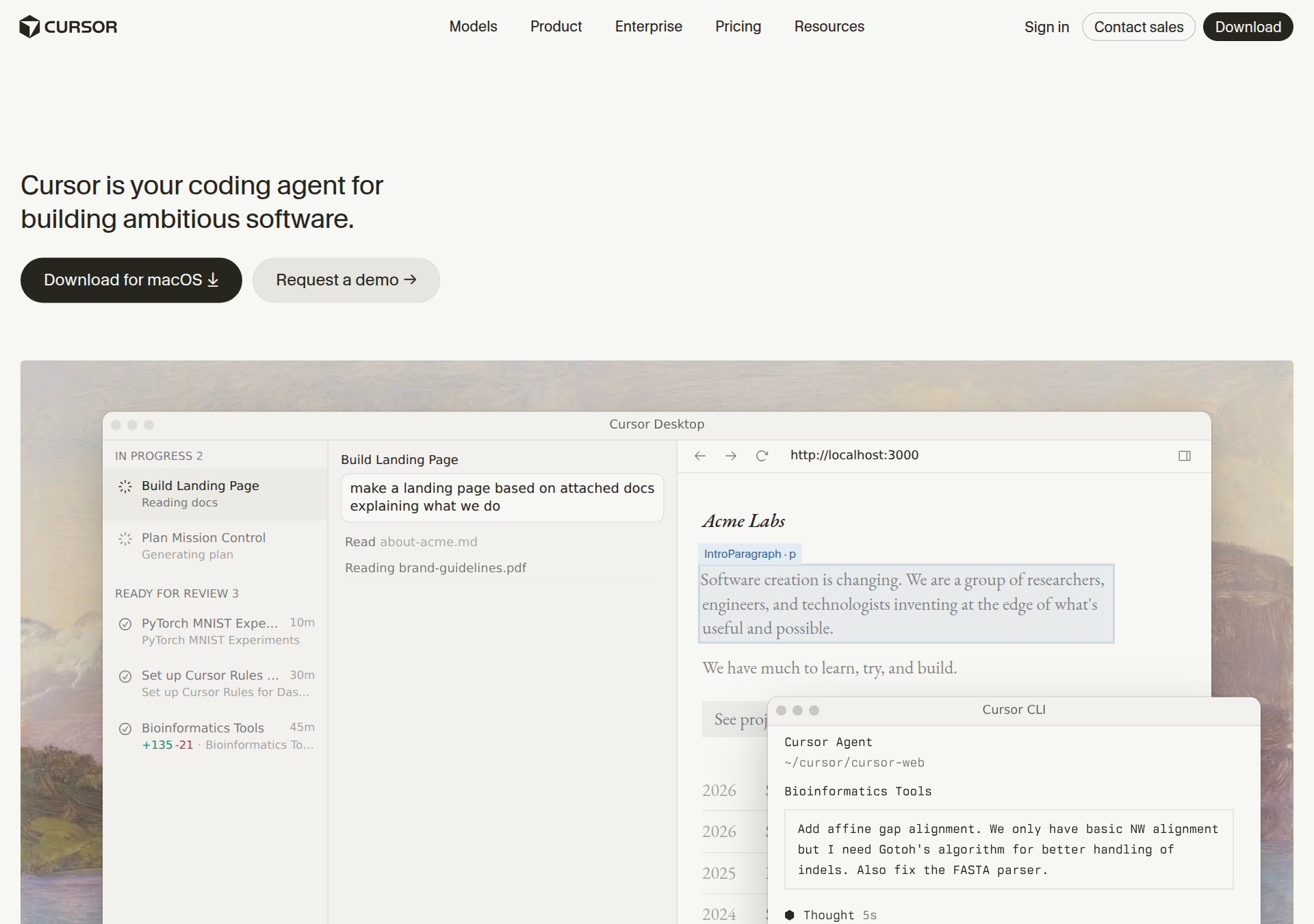
If you land on the “everywhere you work” page, Desktop is what I mean for this tutorial. Terminal CLI and Cloud/Web agents are fine later; day one is the desktop app.
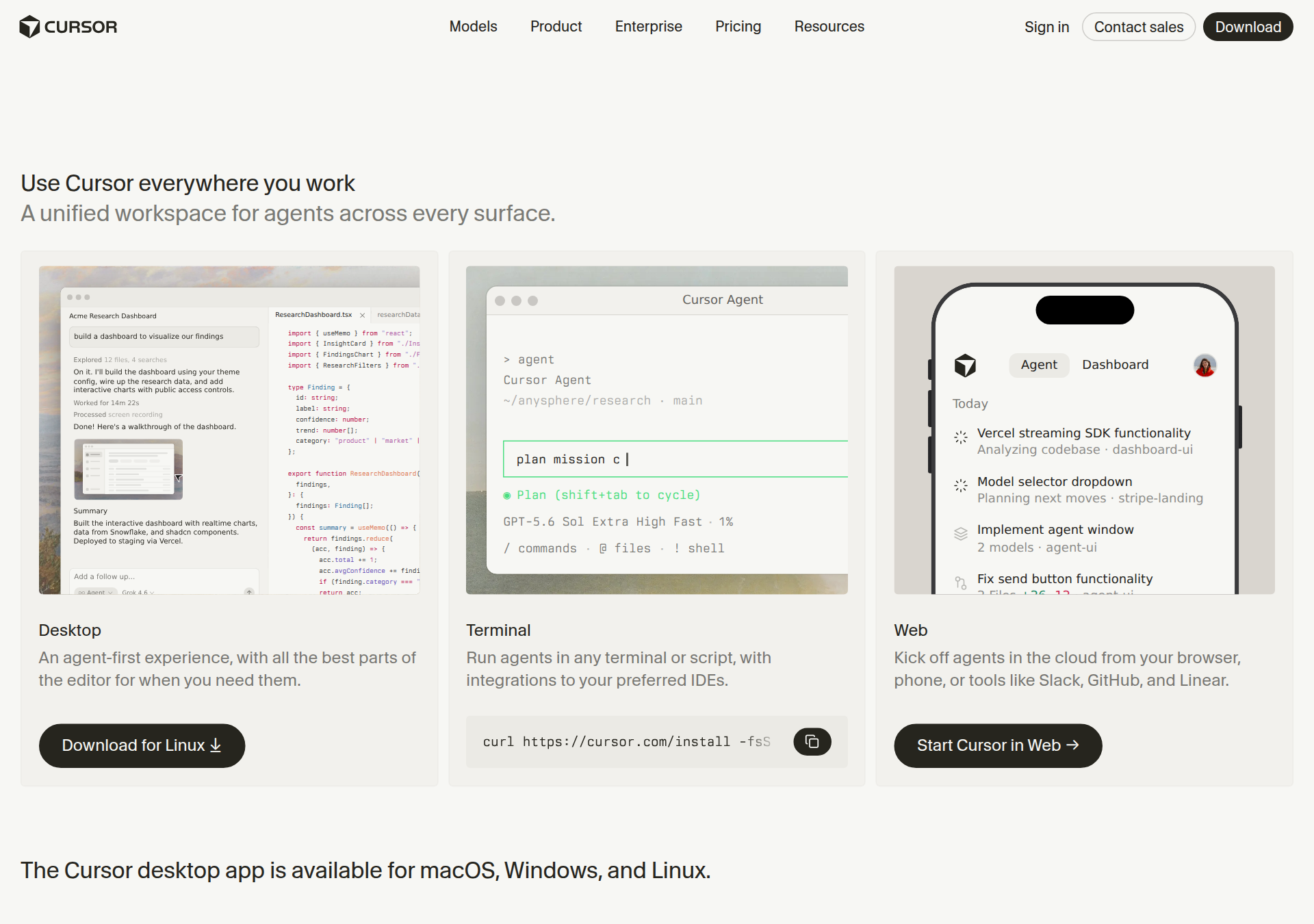
Their own quickstart says the same boring sequence: install → sign in → pick a folder → start small.
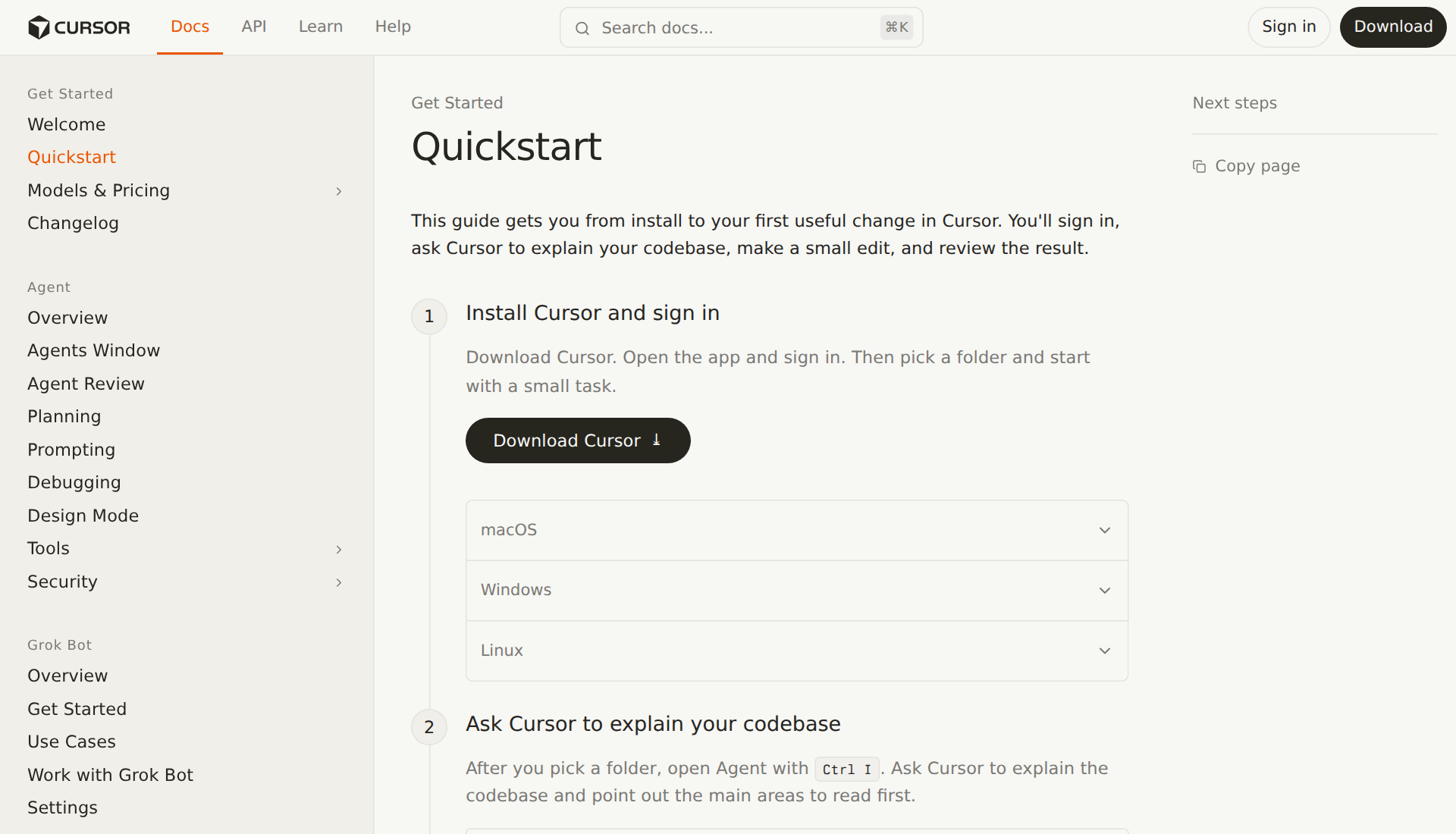
The walkthrough (do this once)
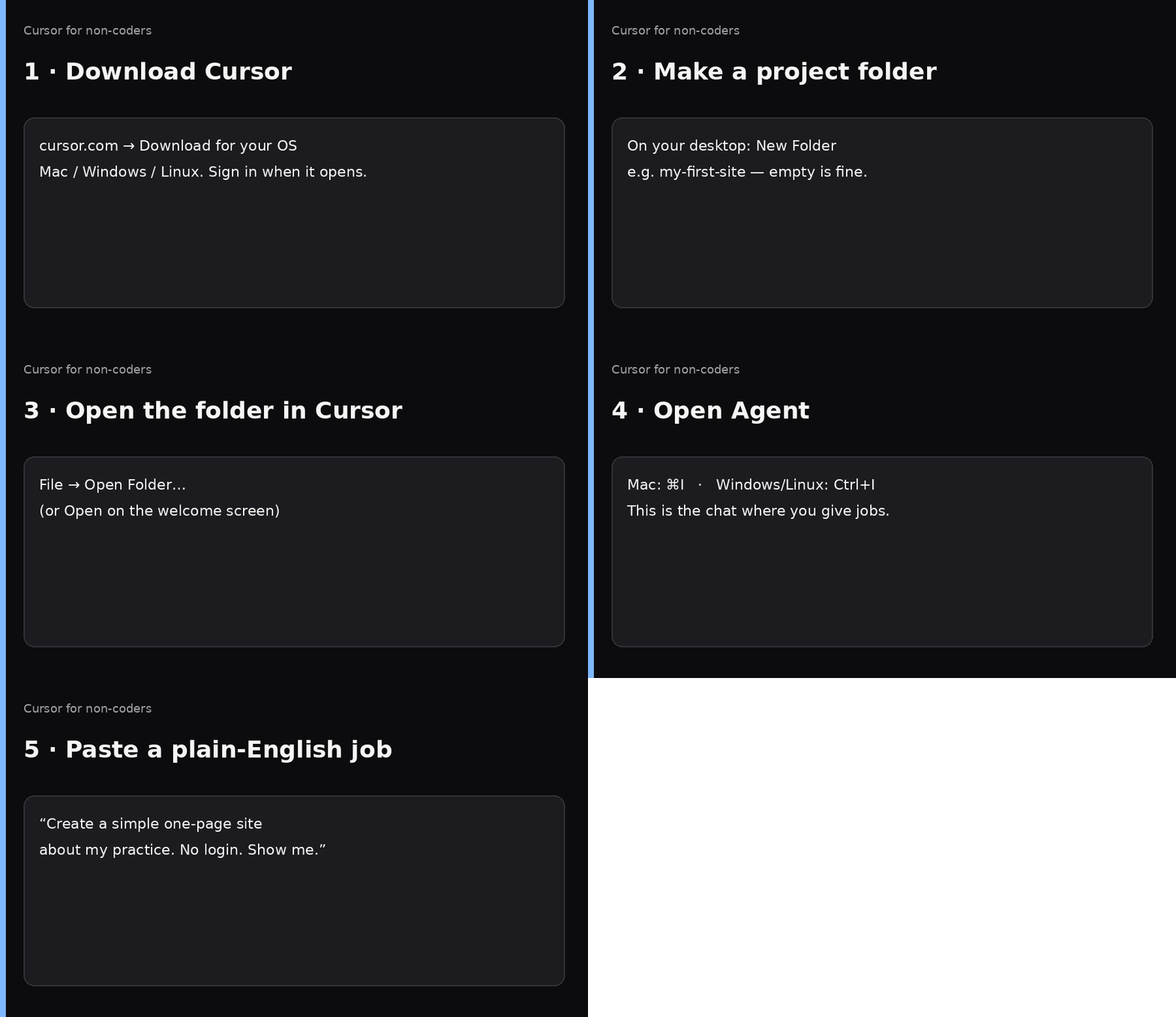
- Download Cursor and sign in.
- On your desktop (or Documents), create a folder:
my-first-siteis fine. Empty is fine. - In Cursor: File → Open Folder… and pick that folder. You should see it in the left sidebar (even if it’s empty).
- Open Agent with ⌘I / Ctrl+I.
- Paste a plain-English job (Prompt A below). Watch it create files. Open the preview or the HTML file it made.
If you skip “open a folder,” the agent has nowhere solid to put work. That’s the #1 beginner failure I see.
Agent vs Ask vs Plan (don’t overthink it)
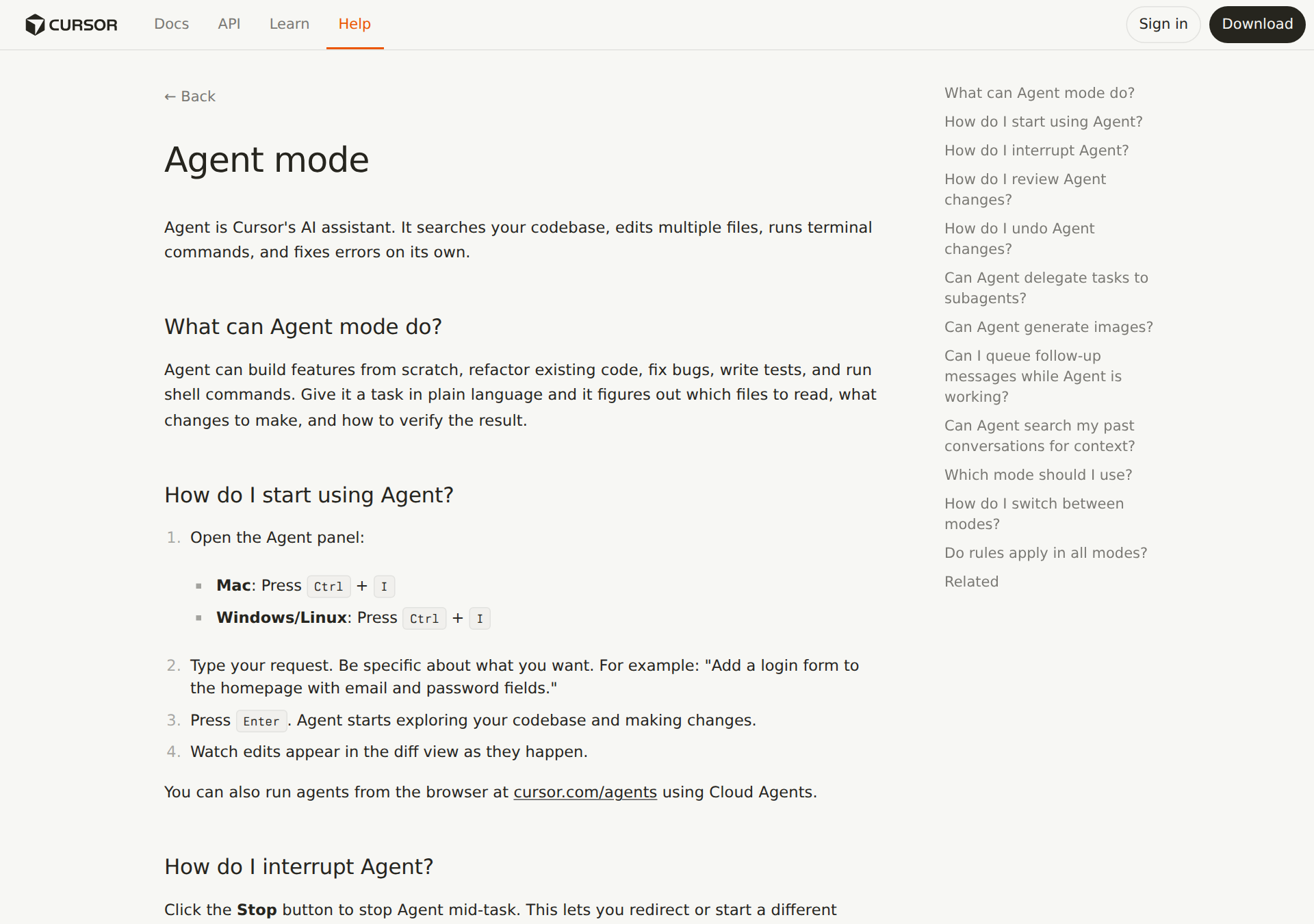
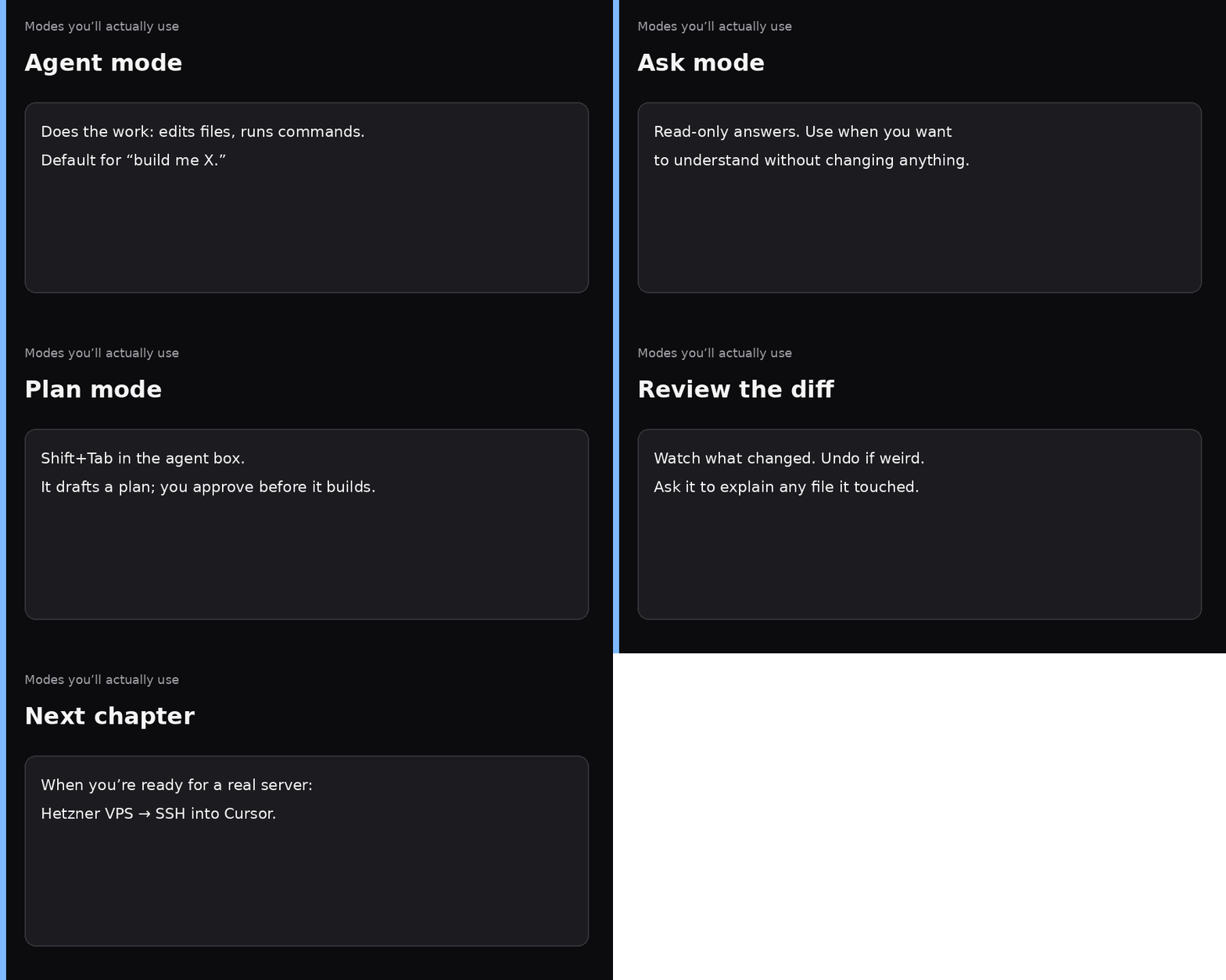
| Mode | Use it when… |
|---|---|
| Agent | “Build / fix / add this.” Default for shipping. |
| Ask | “Explain this without changing anything.” |
| Plan | Bigger job; you want a checklist before edits. Shift+Tab in the agent input. |
Docs for the curious: Agent overview · Ask mode · Plan mode.
Rules that keep you out of trouble on day one
- One folder = one project. Don’t open your entire home directory.
- Secrets stay out of chat dumps you might paste publicly. API keys go in a
.envfile the agent can read locally — never commit them, never paste them into a Discord or tweet. - Read the diff. If you don’t understand a change, ask: “Explain what you just changed in plain English.”
- Small first jobs. Landing page copy, a one-page site, a README. Not “rebuild Epic.”
- You can stop it. There’s a Stop control if it’s wandering.
Prompt A — first win (empty folder)
Paste this in Agent after you’ve opened an empty folder:
I am not a software engineer. This folder is empty and is my first Cursor project.

Create a simple one-page website I can open in a browser:
- One HTML file (index.html) plus minimal CSS (styles.css)
- Topic: a one-page overview of a physician side project / practice (placeholder name “North Clinic Practice”)
- Sections: who it’s for, what we offer, a short “how to reach us” with fake email
- No login, no database, no frameworks, no build step
- Tasteful and calm — not a purple SaaS landing page, not stock AI brochure copy
- Add a short README.md that says how to open index.html locally

When done:
1) List the files you created
2) Tell me exactly how to open the page on Mac and on Windows
3) Do not invent API keys or ask me to deploy anywhere yet
Prompt B — “explain what you built” (Ask or Agent)
Explain this project like I’m a physician who doesn’t code.
What does each file do? What should I edit if I want to change the headline and the contact email?
Do not change any files unless I say “go ahead and edit.”
Prompt C — one safe improvement
Suggest three small, safe improvements to this one-page site (copy clarity, accessibility, mobile spacing).
Explain tradeoffs in plain English. Wait for me to pick one number before you edit anything.
That “wait for me to pick” line matters. Otherwise eager agents will “helpfully” rewrite half the page.
Prompt D — master brief (hand this to Cursor when you’re stuck)
You are helping a non-coder physician use Cursor for the first time.

Context:
- They installed Cursor desktop and signed in
- They opened a single project folder (not their whole home directory)
- They can open Agent with Cmd+I (Mac) or Ctrl+I (Windows/Linux)
- Modes: Agent = do the work; Ask = read-only answers; Plan = approve a plan first (Shift+Tab)

Goals for this session:
1) Keep changes inside the open folder only
2) Prefer simple HTML/CSS or whatever stack already exists — do not invent a huge framework for a one-page site
3) Never invent secrets. Use .env.example for names only; real keys stay local and gitignored
4) After edits, summarize the diff in plain English and how to verify (open file / run command)
5) If the task is big, switch to Plan mode behavior: outline steps, ask clarifying questions, wait for approval

Dead ends to avoid:
- Opening or rewriting files outside the project folder
- Demanding they learn Git, Docker, or Kubernetes on day one
- Deploying to production without them asking
- Pasting secrets into README or committing .env

Acceptance:
- Something visible works (page opens, or existing app still runs)
- They know which files changed
- Next step is one sentence, not a 12-week curriculum
What to do after this works
- Change the headline yourself (or ask Agent to) so it feels like your page.
- When you want a real server on the internet: Hetzner VPS → Cursor over SSH.
- When a domain needs pointing: Cloudflare DNS so Cursor can manage records.
I’m not selling “you’ll never need a developer.” I’m saying the barrier to starting dropped. The barrier to shipping something responsible is still judgment — yours — while you watch the diffs.
Keep reading
- Spin up a Hetzner VPS when you know almost nothing — then hand Cursor the keysChapter two — a real server over SSH.
- I left Namecheap DNS for Cloudflare so Cursor could manage my domainsAfter you have Cursor, let it edit DNS.
- What agent-native and MCP actually meanWhy agents + APIs beat another dashboard.
- Don't Quit Medicine. Build Leverage.Keep the license. Build anyway.
- We built our own analytics (no Google) — and how to add GA anywayHow Physician Forge tracks humans, bots, and AI referrals on a VPS with SQLite — public Stats walkthrough, the durability prompt that keeps deploys from wiping history, Cursor briefs for non-coders, plus optional Google Analytics.
- Kobeissi’s six conditions: why a barbell beats a single ‘correct’ portfolioReading the Sep 10 Kobeissi list — $5k checks, $100 oil, $40T debt, sticky inflation, AI, and a Warsh Fed — and how those forces pull different ways. A barbell mental model with sources. Not personalized advice.